
Your TV is spying on you. It watches what is on your screen and sells it. You are not the customer. You are the product.
That is not a theory. I recorded mine doing it.
The short version
- What: a Hisense 55A65H Google TV, sitting idle on the home screen, contacted an ACR (automatic content recognition) company 20 times in 15 minutes. ACR fingerprints what is on your screen so a record of what you watch can be sold for advertising.
- The catch: every privacy setting, including Hisense’s “Enhanced Viewing,” was already off. The traffic kept going.
- It scans everything: ACR reads the picture on the panel, not the app, so free channels, Plex, and your own home videos all get fingerprinted.
- The fix that worked: one firewall rule on my own router, scoped to the TV. The calls stopped and playback was unaffected.
- Measured: September 24, 2026, by packet capture on my own network, on my own device.
I know how networks work. I have VLANs. I have a UniFi gateway, two MikroTik switches, and a Hasivo switch I dragged back from a dead bootloader with a serial cable. I read my own logs every week or two.
I never saw the TV.
Not once. And I had a reasonable expectation that if I couldn’t see it, it couldn’t see me. That expectation turned out to be the whole problem.
What I found
One evening I decided to record everything my TV sends over the internet. Not what it says it sends, what it actually sends. I let it sit on the home screen with nothing playing and walked away for fifteen minutes.
In those fifteen minutes it quietly contacted an ad company twenty times. Not any ad company. The kind that fingerprints what is on your screen, so it can sell a record of what your household watches. It also checked in with its own manufacturer dozens of times, and with Amazon, and with an ad-attribution service, and with Google’s ad network.
Here is the part that stopped me cold. Every privacy setting was already turned off. I had done that when I set the TV up. So I turned them off again, while recording, and watched the traffic keep flowing.
The setting said off. The TV did it anyway.
That is the business. The screen is sold cheap so it can get into your living room. Once it is there, what you watch is what they sell. You paid for the TV. They get paid for you.
I only went looking because of Gamers Nexus. They spent months on this with three security researchers for “216,000,000 Spy TVs | The LG Smart TV Problem” (September 6, 2026), and watching it is what sent me to capture my own TV. Their LG TV scanned their whole network and found at least 38 other devices (17:24), down to phones, smartwatches, and the thermostat. It ran screen recognition even on an HDMI input (19:26). By their estimate it sent about 4 GB of recognition data back to LG every month (20:27). And like mine, the settings meant to stop it were buried and misleading (21:30).
Different brand, same business.
And watching is only the part you can see. Brian Krebs has been reporting on what else these living-room computers get used for. In “LG to Ban Residential Proxies from Smart TV Apps” (Krebs on Security, July 21, 2026), he covered research from the security firm Spur finding that more than 42 percent of apps in LG’s smart TV store, and more than a quarter of Samsung’s, carried software that rents the TV’s internet connection out to strangers. Spur’s Trevor Sutter put the consent problem better than I can:
“A one-time consent prompt buried in a TV app is not a substitute for meaningful transparency, ongoing control, and platform oversight.”
That is the toggle, described by someone else. Cheap streaming boxes are worse. In “Read This Before You Buy That TV Streaming Stick” (Krebs on Security, July 30, 2026), Krebs reported Bitsight’s finding that one brand of box relays strangers’ traffic while your TV is on, and switches to clicking fraudulent ads when it is off. About 38,000 of them were phoning home to a single domain.
And because it fingerprints the actual picture on the panel, not the app you are using, it does not care what you are watching. A free streaming channel, a movie on Plex, a home video from your own drive. It all gets scanned.
For technical readers: the capture
The TV is a Hisense 55A65H, a 2022 Google TV. I ran tcpdump on the gateway itself, filtered to the TV’s MAC, streamed to a Proxmox host so a sleeping laptop would not end the capture. Server names come from the TLS handshakes, and I stripped certificate-status hosts.
| Who | Host | TLS sessions, 15 min idle |
|---|---|---|
| Hisense | layout-ui-na, ter-jrnl, exc-jrnl and others on intsmarthub.com | 48 |
| Unruly (ACR, screen fingerprinting) | acr.unruly.co, 24.fp.us.acr.unruly.co | 20 |
| Amazon | unagi-na.amazon.com, minerva.devices.a2z.com | 7 |
| AppsFlyer, DoubleClick | attribution and ads | several |
With Hisense’s “Enhanced Viewing” (its ACR setting) switched off, the TV still made 7 DNS lookups for the ACR host in the next nine minutes. That is the same rate as before the toggle. The toggle changes a consent flag the vendor reads. It does not change the traffic.
Why I never saw it
This is the part I keep chewing on, because I am not careless. The design hides it, and it hides it from exactly the tools a careful person uses.
- It never crossed a switch. The TV is on Wi-Fi, and my access point plugs straight into the gateway. Three captures on my MikroTik switches saw nothing but background chatter, because nothing the TV sent ever passed through them.
- It did not look like a TV. Neither my Wi-Fi controller nor my gateway ever showed a TV. The gateway labeled it “Linux PC.” Not Hisense, not television. Just another computer.
- The flow table said zero bytes. The gateway’s traffic view listed its connections with no data counted. At a glance, that reads as noise, not as a machine reporting home.
A person who was merely paranoid would have looked and found nothing. I found it because I knew exactly where to point the capture. That is a very different thing from being paranoid.
Paranoia doesn’t work retroactively
There is a line I have carried around for years. The grugq said it at Hack in the Box in 2012, in a talk called “OPSEC: Because Jail is for wuftpd”:
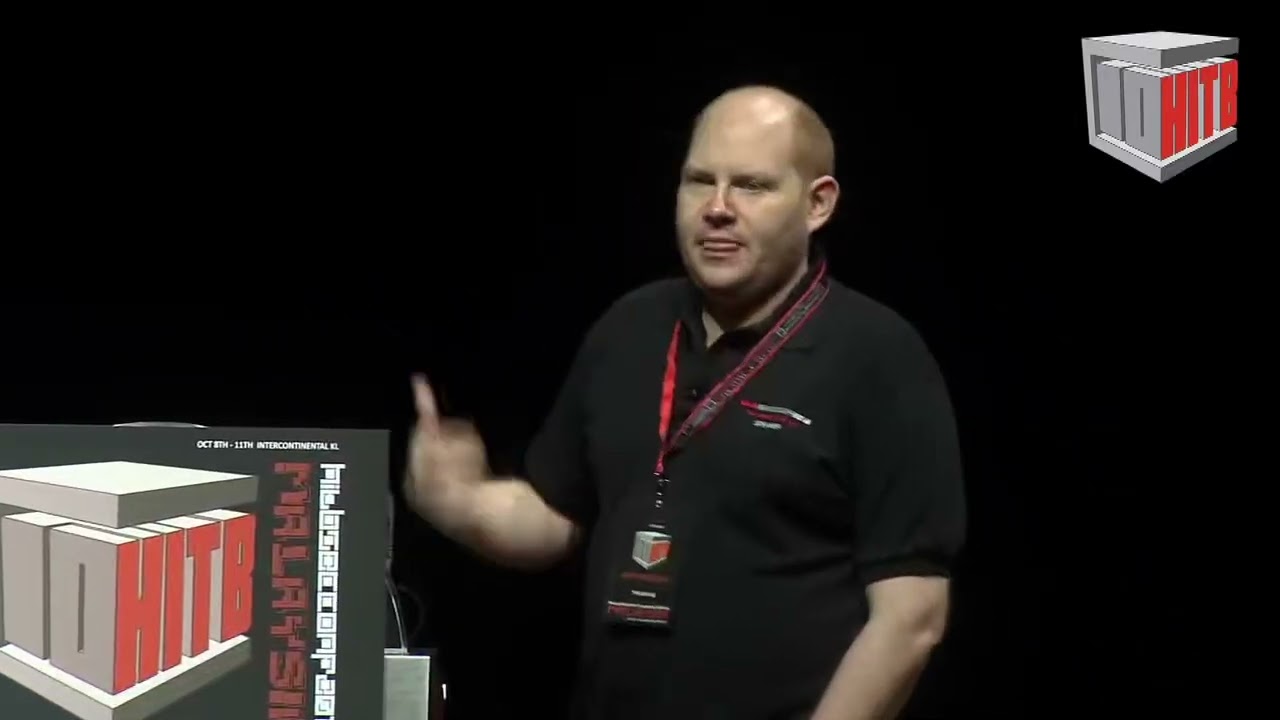
Paranoia doesn’t work retroactively. You have to be proactively paranoid.
He was talking about burner phones and cover identities. Fourteen years later it describes a $250 television exactly. Everything that TV sent before I blocked it is already gone. Sold, indexed, part of some profile of my household. I cannot un-send it. All I can do is stop the next fifteen minutes.
So was I being paranoid? No. Paranoia is believing something with no evidence, and surviving every attempt to disprove it. My suspicion could have been proven wrong on the first capture. It wasn’t. It matched on the first try.
The fix: one rule on my own network
I could not rip their software off the TV. The manufacturer licenses the operating system, and tampering with it is its own legal mess. But the TV has to cross my network to sell anything, and they do not own my network.
So I added one firewall rule, scoped to that one TV, that blocks the fingerprinting and reporting hosts. Nothing else on the network changed. The TV kept playing everything normally.
Before the rule, every call to those hosts was answered almost instantly. After the rule, the TV kept knocking, got no answer, retried a few times, and gave up.
A privacy toggle is like leaving a note asking someone not to read your mail. A firewall rule is a locked mailbox. One is a suggestion. The other is enforcement.
For technical readers: the rule and the proof
On a UniFi Cloud Gateway Fiber running Network 10.6, the old “traffic rule” endpoint accepts a domain block and never pushes it to the gateway. What works is a zone-based firewall policy: source is the TV’s MAC in the Internal zone, destination is the External zone with a WEB (domain) match. After the change reached the gateway, I verified it on the wire.
| Time | Host | Result |
|---|---|---|
| Before | journal host | SYN answered in about 72 ms |
| After | journal host | SYN, retry at 1 s, retry at 3 s, no answer |
I later added Plex’s in-app analytics hosts too. Plex’s own usage toggle was also already off, and those calls kept going as well. After the rule, four attempted telemetry calls died during a playback test, and the video never hiccuped.
The control group
To be fair, I ran the same fifteen-minute idle test on an Apple TV.
It made a handful of connections, and every one went to Apple: checking for app updates and syncing its clock. No ad company, no screen fingerprinting, no third party of any kind. Open a streaming app and that app brings its own trackers, but the box itself was quiet.
The Hisense did it with nothing open, because the box itself is the tracker. That is why a 55-inch TV can cost $250. The panel is the loss leader. The viewing data is the product.
The switch is gone now
Two days after I published this, the switch disappeared.
On September 25 I recorded the menu path on my TV: Settings, System, Advanced, Enhanced Viewing, and inside it a row called Automatic Content Recognition. That is the whole opt-out, three levels down, behind a name that sounds like a picture setting.
On September 26 the same page, now called Advanced System, lists Amazon Alexa Service, Wake on Cast, Product Registration, and E-Manual. Enhanced Viewing is gone. So is the row above it, Do Not Sell or Share My Personal Information. The new Privacy page is Google’s stock one: location, diagnostics, ads, app permissions. There is no Hisense entry on it.
Nothing else changed. The OS build is the same, RTT2.220118.001 on Android TV 11, with a security patch from June 2025. There was no firmware update to accept or refuse. The TV rebooted at about four in the morning and the two controls were gone when it came back. On an Android TV, the maker’s settings pages are an app, and apps update themselves in the background.
So the honest version of the advice above is shorter than it was. The privacy setting did not stop the traffic when it existed, and now it does not exist. The rule on the router is the only off switch I have, and it is the only one they cannot remove.
Why this is my hackathon story
Everything in this post was done by hand, one capture and one rule at a time. That is the part I want to automate: a local agent that watches what my devices send, reads the captures with a model running on my own hardware, explains in plain language what each connection is, and proposes the block rule for me to approve. The model reads text, not screenshots or packets as images, and it never sends my network data to anyone else’s cloud. That rule matters here more than anywhere.
If you do one thing after reading this, don’t trust the toggle. Look at the traffic.
Questions people ask
Is my smart TV really spying on me?
If it has ACR and it is connected to the internet, very likely yes. Most major smart TV brands ship some form of automatic content recognition, and Gamers Nexus documented the same behavior on LG TVs (17:24). The only way to know for your own TV is to capture its traffic.
Does turning off the privacy setting stop ACR?
On my Hisense, no. With “Enhanced Viewing” off, the TV kept looking up and trying to reach the ACR host at the same rate as before. The setting appears to change a consent flag, not the traffic. Test yours before trusting it. And as of September 26, 2026, the setting is no longer on my TV at all. See The switch is gone now.
Does ACR watch my own videos, not just streaming apps?
Yes. ACR fingerprints the picture on the screen, so it does not matter whether the source is a streaming app, Plex, or an HDMI device. Gamers Nexus observed ACR running on an HDMI input as well (19:26).
How do I stop my TV from spying on me?
Block the ACR and telemetry hosts at your router for that one device, then verify with a capture that the connections fail. A cleaner long-term answer is a display with no smart platform at all, such as a projector or monitor, with a separate streaming box you choose.
Will blocking it break my TV?
In my test, no. Playback, Plex, and streaming all kept working after the ACR, telemetry, and app-analytics hosts were blocked. Block specific hosts, not whole domains like googleapis.com, or casting and sign-in can break.
Prompts to hand your own agent
Run these against devices you own. Each block copies with one click.
I own a smart TV on my home network. Help me capture what it sends while idle for 15 minutes, using my router or gateway, filtered to the TV’s MAC address. Then list every hostname it contacted, grouped by company, and flag anything that looks like advertising, analytics, or ACR (automatic content recognition).
Here is a list of hostnames my TV contacts. For each one, tell me whether blocking it is likely to break playback, sign-in, or casting, or whether it is safe to block. Be conservative: if a host is shared infrastructure, say so instead of guessing.
I turned off my TV’s privacy settings. Design a before-and-after test that proves whether the setting actually stops the traffic: what to capture, for how long, and what result would show the setting works versus is cosmetic.
Here is a screen recording of my TV’s privacy and ACR settings menus, taken today. Pull the on-screen text out of it and write down the exact menu path, every row on each page, and the TV’s OS build and patch level. Save it with the date so I can compare it after the next update and tell whether a control was moved, renamed, or removed.